How to Make Product Photos Look Professional Without a Studio
Product Photography Tips Without a Studio Guide
You don't need an expensive camera or professional studio to take good product photography. For many small businesses, a smartphone, natural light, and a clean setup are enough to create images that look professional.
Start With a Clean Product
Before taking the photo, clean the product properly. Remove dust, fingerprints, stickers, loose threads, or anything that shouldn't appear in the image. Small details can become surprisingly visible in a close-up product photo.
Use Natural Light
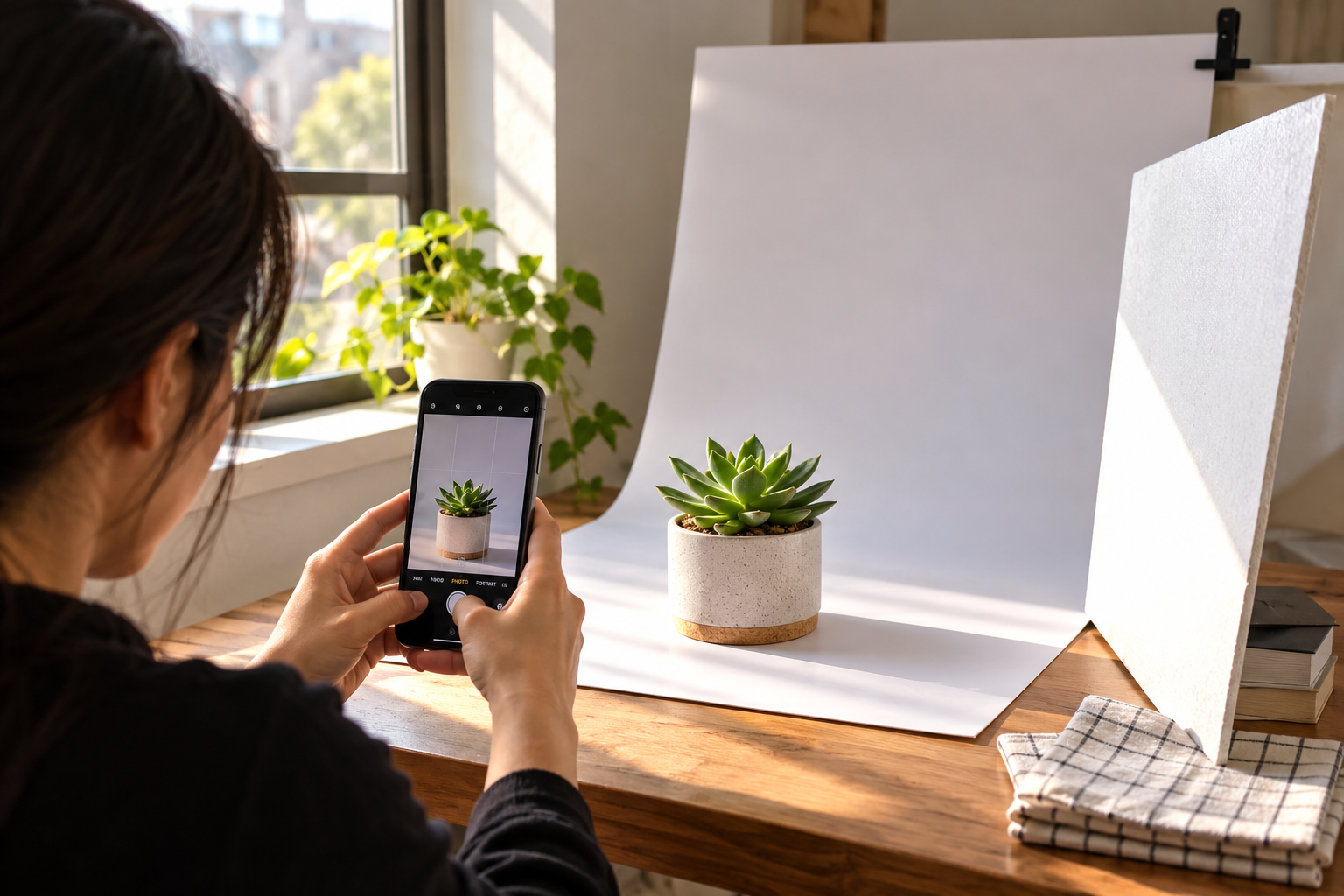
A window can work as your main light source. Place the product near the window and avoid strong direct sunlight, which can create harsh shadows. If one side looks too dark, place a white board or piece of cardboard opposite the window to reflect some light back.
Keep the Background Simple
Your product should get all the attention. A plain white, grey, or neutral background usually works well for ecommerce photos. You can use a large sheet of paper, clean fabric, or even a plain wall instead of buying a studio backdrop.
Take Photos With Your Phone
Clean your phone camera lens before shooting. Avoid digital zoom and use the grid feature to keep the product straight. Take several photos from different angles instead of relying on one shot.
For some products, a front view works best. For others, a slightly higher angle can show more detail. Try a few options and choose the clearest one.
Edit Without Overdoing It
Basic editing can make a big difference. Crop unnecessary space, straighten the image, adjust brightness, and fix the background if needed.
If the original background is distracting, you can use PixCutly's Background Remover to isolate the product and place it on a cleaner background.
Don't push colours or sharpness too far. The final image should still look like the actual product.
Keep Every Product Consistent
If you're photographing several products, use a similar background, lighting direction, camera distance, and image ratio. Consistency makes an online store look much more organized.
You can also add a few lifestyle photos where they make sense. Showing a product in an actual home, office, or everyday setting can help customers understand how it looks in real use.
You Don't Need a Studio
A simple setup can be enough:
Smartphone + Window Light + Clean Background + Basic Editing
The goal isn't to make your photos look expensive. The goal is to make the product clear, attractive, and trustworthy.
Start with what you already have, improve your lighting and background, and build a process you can repeat for every product.