How to Remove Background From Product Photos in Seconds blog de
How to Remove Background From Product Photos in Seconds
A good product photo can lose its professional look because of one simple problem: the background. A messy table, room, wires, or random objects can distract customers from the product itself.
The good news is that you don't always need Photoshop or complicated editing skills to fix it.
Start With a Clear Product Photo
The better your original image, the cleaner the final result will be. Try to photograph the product in good lighting and keep it clearly separated from the background.
Avoid heavy shadows or objects overlapping the product. For small products, natural window light can work surprisingly well.
Remove the Background Automatically
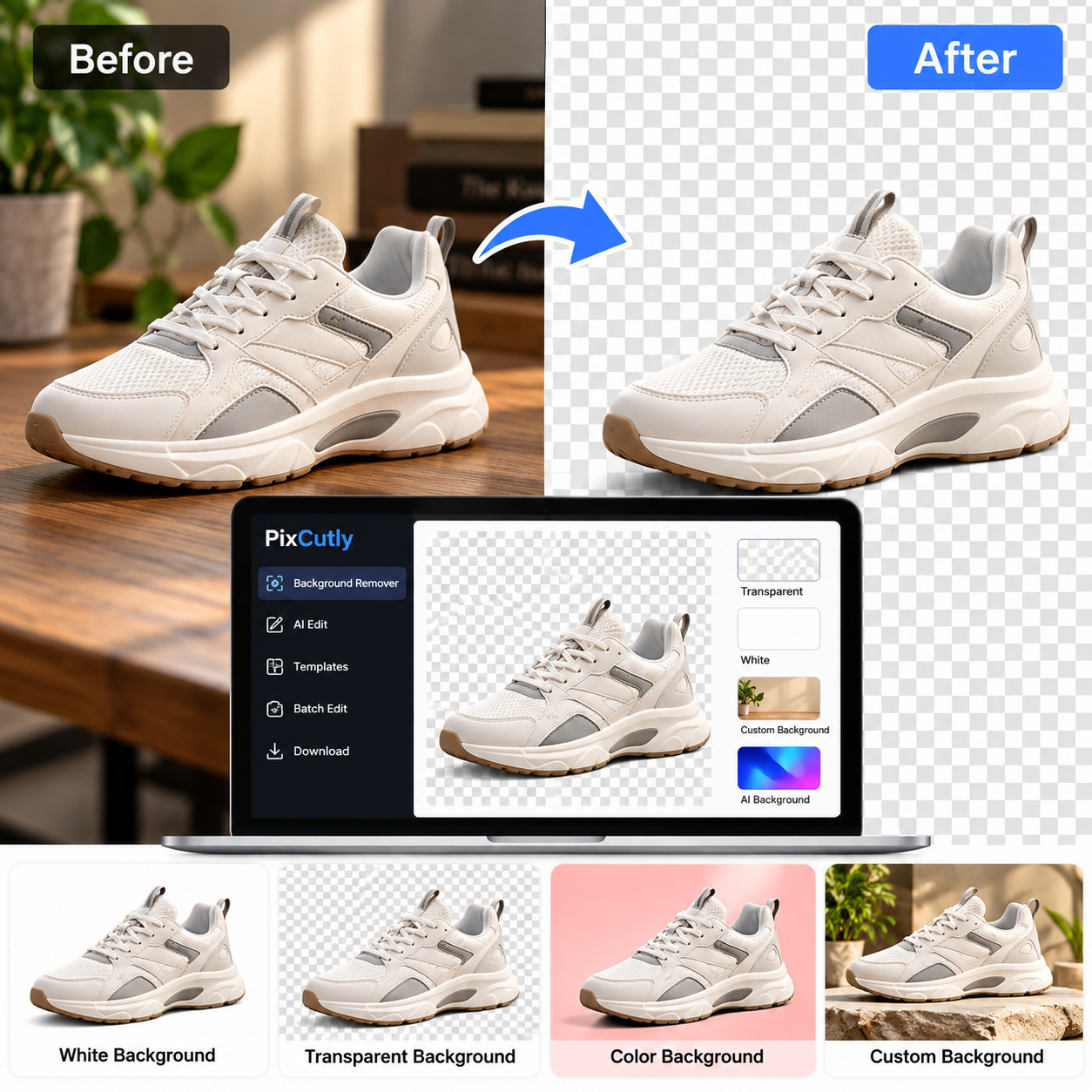
Instead of manually selecting every edge, you can use an AI background remover. Upload the product photo, let the tool detect the main subject, and remove the unwanted background.
PixCutly's Background Remover can be used for this workflow. It is useful when you need to quickly prepare product images for an online store, marketplace, catalogue, or social media post.
Check the Edges
Automatic background removal is fast, but don't skip the final check.
Look closely around:
Product corners
Handles
Thin wires
Transparent parts
Small accessories
Fine details
If any part of the product has been removed accidentally, fix it before using the image.
Choose the Right New Background
Once the original background is removed, you can keep the product on a transparent background, place it on white, or create a more suitable composition.
For ecommerce listings, a simple background usually keeps attention on the product. For social media or advertising, you can use a more creative background that matches your brand.
Keep Your Product Images Consistent
If you're editing multiple products, use a similar background style, product size, and image ratio. Consistency can make an online store look much more organized.
This is especially useful when you have dozens of products to prepare.
Don't Over-Edit the Product
Background removal should improve the image, not change the product itself. Avoid excessive filters, unrealistic colours, or heavy effects.
Customers should be able to see the product as it actually looks.
Final Thought
Removing a background doesn't have to be a long editing task. With a clear product photo and the right tool, you can prepare a clean image in a few seconds and use it across your store, catalogue, or social media.
The important part is not just removing the background. It's making sure the final image looks clean, accurate, and consistent with the rest of your product photos.