How to Create an AI Avatar for Videos
How to Create an AI Avatar for Videos
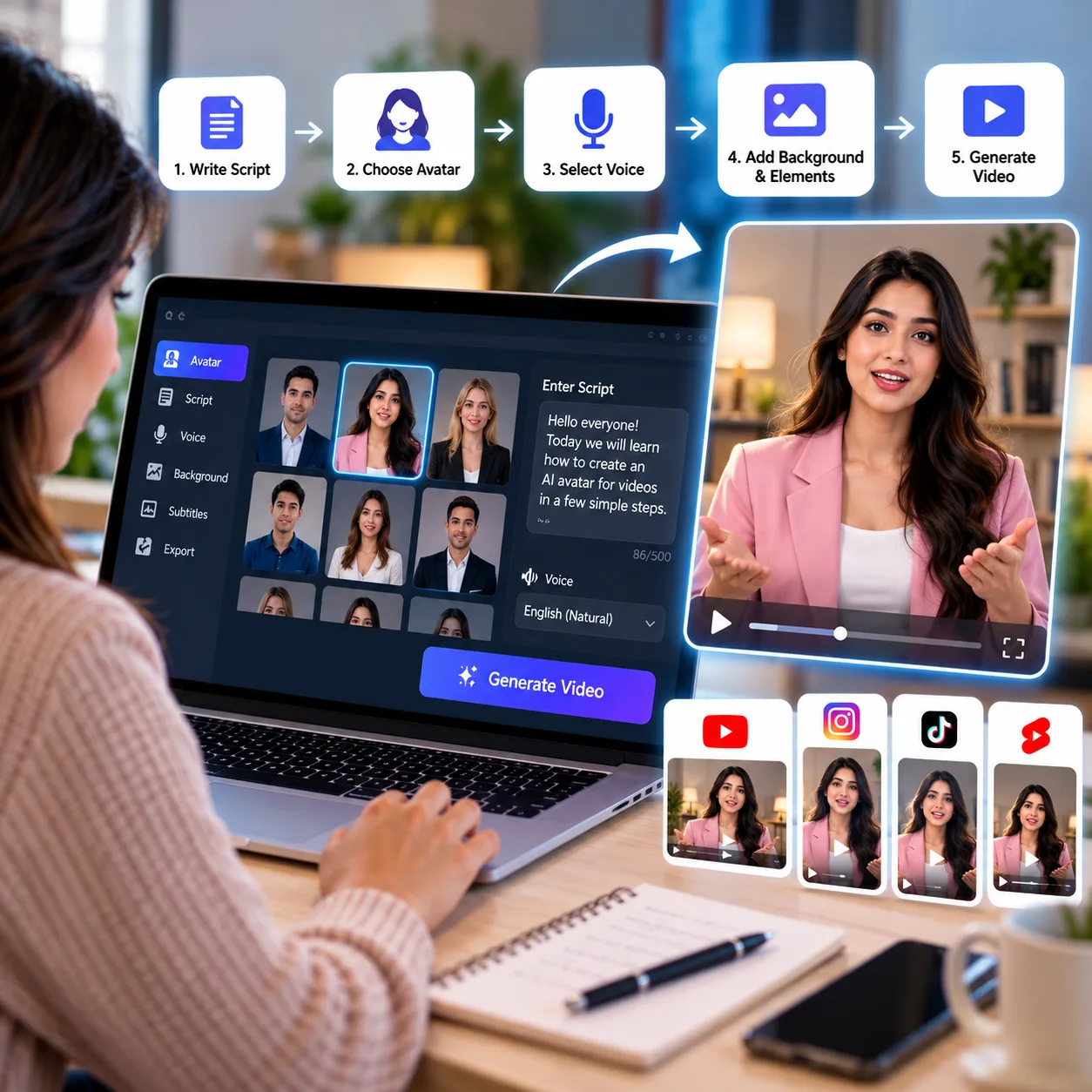
AI avatars make it easier to create videos without recording yourself on camera. They can present tutorials, explain products, share educational content, and deliver marketing messages. With the right tools and a clear script, you can create professional-looking videos in less time.
1. Decide Your Video's Purpose
Before creating an avatar, decide what your video should achieve. You might want to explain a product, teach a skill, introduce a service, or create social media content.
A clear purpose helps you choose the right avatar style, voice, and presentation.
2. Write a Simple Script
Prepare a short script with a clear message. Use natural language and short sentences so the avatar sounds more conversational.
Start with an interesting opening, explain the main points, and finish with a useful takeaway or call to action. For short videos, focus on one main idea instead of covering too many topics.
3. Choose an AI Avatar Tool
Select a tool that lets you create a digital presenter and generate videos from text. Depending on the platform, you may be able to choose an existing avatar or create a personalized one.
Check the available voices, languages, editing features, export quality, and pricing before choosing a tool.
4. Select an Avatar and Voice
Choose a presenter that suits your audience and topic. A friendly style may work well for tutorials, while a more formal presenter may be appropriate for business or training videos.
Pick a voice that is clear and easy to understand. Always preview the result to check pronunciation, pacing, and tone.
5. Generate and Review the Video
Enter your script, select the presenter, and generate the video. Some tools also let you add backgrounds, images, captions, and other visual elements.
Review the finished video carefully. Look for incorrect pronunciation, unnatural pauses, mismatched expressions, and distracting visuals. Make adjustments wherever necessary.
6. Make the Video More Engaging
An avatar alone may not hold viewers' attention. Add relevant visuals, simple captions, and examples to support the message. Keep the background clean and make sure the presenter remains easy to see.
For social media, place the main point near the beginning and avoid long introductions.
7. Export for Your Platform
Choose the video format based on where you plan to publish it. Vertical videos are generally suitable for Reels, Shorts, and TikTok, while horizontal videos may work better for YouTube tutorials and presentations.
Watch the exported video once before publishing to confirm that the sound, captions, and layout look correct.
Conclusion
Creating videos with an AI avatar involves choosing a purpose, writing a script, selecting a suitable presenter, generating the video, and reviewing the final result. Start with a short project and improve your style as you learn what works for your audience.
With thoughtful scripting and relevant visuals, a digital presenter can help you create useful videos for education, marketing, and social media without recording every video yourself.